

TL;DR:
- Custom rubber stamps enhance accuracy, consistency, and branding in small to medium business purchasing processes.
- Integrating physical and digital stamps strengthens error reduction and streamlines approval workflows.
- Proper design, placement, and training maximize the benefits of stamp usage in purchase documentation.
Purchasing teams in small to medium-sized businesses often dismiss rubber stamps as relics of a slower era, buried under layers of spreadsheets and approval software. That assumption costs real time and money. Custom rubber stamps, when designed and deployed correctly, actively reduce errors in purchase order documentation, reinforce branding on outgoing paperwork, and create a visible audit trail that digital systems alone can miss. This guide walks through the practical case for custom stamps in purchasing, from understanding their operational value to integrating them into modern workflows and selecting the right design for your team’s specific needs.
Table of Contents
- Why custom stamps matter for purchasing teams
- Integrating custom stamps into purchase order workflows
- Automation and digital stamps: A modern complement
- Choosing and designing the right custom stamp for your team
- A fresh perspective: Rethinking custom stamps in a digital age
- Find your perfect custom stamp solution
- Frequently asked questions
Key Takeaways
| Point | Details |
|---|---|
| Error reduction | Custom stamps standardise information in purchase orders, minimising manual mistakes. |
| Workflow clarity | Integrating stamps with approval processes makes purchasing procedures easier to track and verify. |
| Digital complement | Combining physical and digital stamps gives purchasing teams the widest operational advantages. |
| Design matters | Tailored stamp designs enhance branding and streamline daily workflow for teams. |
Why custom stamps matter for purchasing teams
The purchasing function inside any small to medium-sized business runs on paperwork, even when much of it has moved online. Purchase orders, delivery confirmations, invoice approvals, and goods received notes all pass through multiple hands. Each handoff is an opportunity for information to be missed, altered, or simply left incomplete.
Custom stamps address this directly. A well-designed stamp forces a document to carry the right information every time it moves from one stage to the next. Approved by, received on, PO reference number, department code: these fields do not get forgotten when a physical stamp makes them mandatory on every sheet. Aligning stamp usage to standardised purchase order workflows reduces errors by making required information complete, consistent, and easier to verify.
That is a practical point worth sitting with. When an approval stamp includes a dedicated field for a date and an authorising signature line, the person handling the document cannot pass it along without filling those in. There is no checkbox to skip, no field left blank because the form did not prompt it clearly enough. The stamp itself acts as a physical checklist embedded in the document.
Here is a summary of the core operational benefits purchasing teams report when they introduce properly designed custom stamps:
- Consistency: Every document that passes through the approval chain carries the same format of information, regardless of who handled it.
- Error reduction: Mandatory stamp fields prevent partial approvals and missing references that cause invoice disputes downstream.
- Speed: Staff do not need to hand-write information or search for approval forms; the stamp handles the format instantly.
- Audit trail: Stamped documents create a physical record that supports internal reviews and external audits without relying on digital access.
- Branding: Logo branded stamps reinforce your company identity on every outgoing purchase order and supplier communication.
- Cost efficiency: A quality self-inking stamp costs a fraction of the time lost to manually correcting incomplete documents.
The branding argument deserves more attention than it usually gets. When your purchase orders leave the building bearing a consistent, clearly printed company logo and contact details, suppliers notice. It signals operational maturity and makes your business easier to deal with. That might seem secondary to error reduction, but in practice, it reduces queries and builds supplier confidence.
For teams just starting to formalise their purchasing processes, reviewing office stamp essentials is a useful starting point for understanding which stamp types suit different document flows.
Integrating custom stamps into purchase order workflows
Understanding the value of custom stamps is one thing. Building them properly into your existing workflow is another. The practical steps below are designed for purchasing teams that want to introduce or upgrade stamp usage without disrupting current operations.

Step one: Map your document flow. List every document type that moves through your purchasing process, from initial purchase request through to supplier payment. Identify which of these require approval, verification, or reference tracking.
Step two: Define your mandatory fields. For each document type, note the information that must appear at every approval stage. Common fields include: date received, approved by, PO number, department code, and budget authority level.
Step three: Design stamps to match each stage. Rather than using a single general-purpose stamp, create specific stamps for each critical checkpoint. A goods received stamp looks different from a payment approved stamp, and that difference matters for clarity.
Step four: Standardise placement. Decide where on each document type the stamp should appear and communicate that consistently. Top right for approvals, bottom left for received confirmation, and so on. Consistency makes documents faster to review.
Step five: Train staff on proper use. A stamp only works if staff understand which stamp to use and when. A short reference card posted near the stamp station removes ambiguity.
The comparison below shows how stamp-based approval compares to a fully automated workflow on key operational dimensions:
| Dimension | Stamp-based approval | Automated PO workflow |
|---|---|---|
| Setup cost | Low | Medium to high |
| Error prevention | Good with correct design | Excellent with validation rules |
| Audit trail | Physical, immediate | Digital, searchable |
| Staff training needed | Minimal | Moderate |
| Flexibility for exceptions | High | Varies by software |
| Works without internet | Yes | No |
Standardised PO templates with mandatory fields and data validation prevent errors, and centralised PO maintenance improves discrepancy resolution. Custom stamps bring that same principle to physical documents without requiring any software investment.
Choosing the right stamp for each workflow stage is important. Reviewing guidance on choosing a business stamp will help you match stamp size, ink type, and field layout to your specific document requirements. For teams building a new stamp system from scratch, following a custom stamp design workflow ensures nothing critical is missed during design.
Pro Tip: Centralise your stamp storage and maintain a log of which stamp is used for which process. This simple step creates a single source of truth for your approval chain and makes your audit trail far easier to reconstruct if a query arises.
Automation and digital stamps: A modern complement
Physical stamps and digital automation are not competing solutions. For most small to medium-sized businesses, the best workflow uses both, with each doing what it does well.
Digital stamping refers to the process of applying a stamp to a PDF or digital document, either as a fixed image or as a dynamic element that auto-populates fields from a database. The dynamic version is particularly powerful for purchasing teams. When a digital stamp pulls the authorising user’s name, the current date, and the relevant PO number automatically from your system, the margin for manual error shrinks dramatically.
“Automation of approvals provides stronger governance than physical stamping alone; digital stamping can reduce manual input errors by auto-populating fields, and supports systematic tracking of who approved what and when.”
This insight on digital stamping reflects what many purchasing managers discover once they trial hybrid approaches: the physical stamp handles paper documents reliably and cheaply, while the digital version handles electronic workflows with precision.
The data below illustrates why error reduction matters so much in PO management:
| Document handling method | Estimated manual error rate | Typical resolution time per error |
|---|---|---|
| Fully manual (no stamps) | 8 to 12% | 2 to 4 hours |
| Physical stamp with fixed fields | 3 to 5% | 1 to 2 hours |
| Digital stamp with auto-population | 0.5 to 1.5% | Under 30 minutes |
| Hybrid (physical and digital) | 1 to 2% | Under 1 hour |
These figures reflect industry patterns rather than a single study, but the direction is consistent: structured approval tools reduce errors, and digital auto-population reduces them further. For teams dealing with high document volumes, even moving from 8% to 3% error rates represents significant savings in staff time and supplier dispute management.
For organisations with complex approval hierarchies, a dedicated organisation stamp guide covers the specific stamp types and configurations that suit multi-level sign-off processes. If you are evaluating stamp hardware for a digital integration, reviewing a comparison of stamp brands will help you identify which physical stamps are best suited to high-volume use.
Pro Tip: Use a hybrid workflow. Apply physical stamps to paper-based supplier correspondence and goods received notes, and digital stamps to internally routed purchase orders and approval requests. You get the advantages of both without overcomplicating either process.
Choosing and designing the right custom stamp for your team
Selecting the right custom stamp is not simply a matter of picking a size and adding your logo. For purchasing teams, stamp design is a functional decision that directly affects document quality and process compliance.
Here are the key criteria to evaluate when specifying a custom stamp for purchasing use:
- Field layout: Does the stamp include all mandatory information fields for your workflow? Consider date boxes, authorisation lines, PO reference space, and department codes.
- Stamp size: Larger stamps accommodate more fields but may not fit neatly on compact documents. Match the stamp size to your standard PO format.
- Ink type and colour: Self-inking stamps are best for high-volume use. Red ink is conventional for approval stamps; blue is common for received stamps. Colour coding reduces confusion during document handling.
- Impression clarity: A stamp that produces a smudged or uneven impression creates ambiguity. Choose a reputable mechanism that delivers consistent, sharp results.
- Custom branding: Including your company logo and registered name reinforces identity on every document and is particularly valuable on outgoing purchase orders.
- Durability: Purchasing teams produce a high volume of documents. Select a stamp rated for the impression count your team requires per month.
- Replaceable ink pads: For stamps used heavily, check that ink pads are replaceable to extend the stamp’s working life.
Standardised stamp designs aligned to PO templates help prevent errors and ensure easier verification at every stage of the approval chain. This is not about aesthetics: it is about making sure every person who handles a stamped document can read it clearly and understand exactly what it signifies.
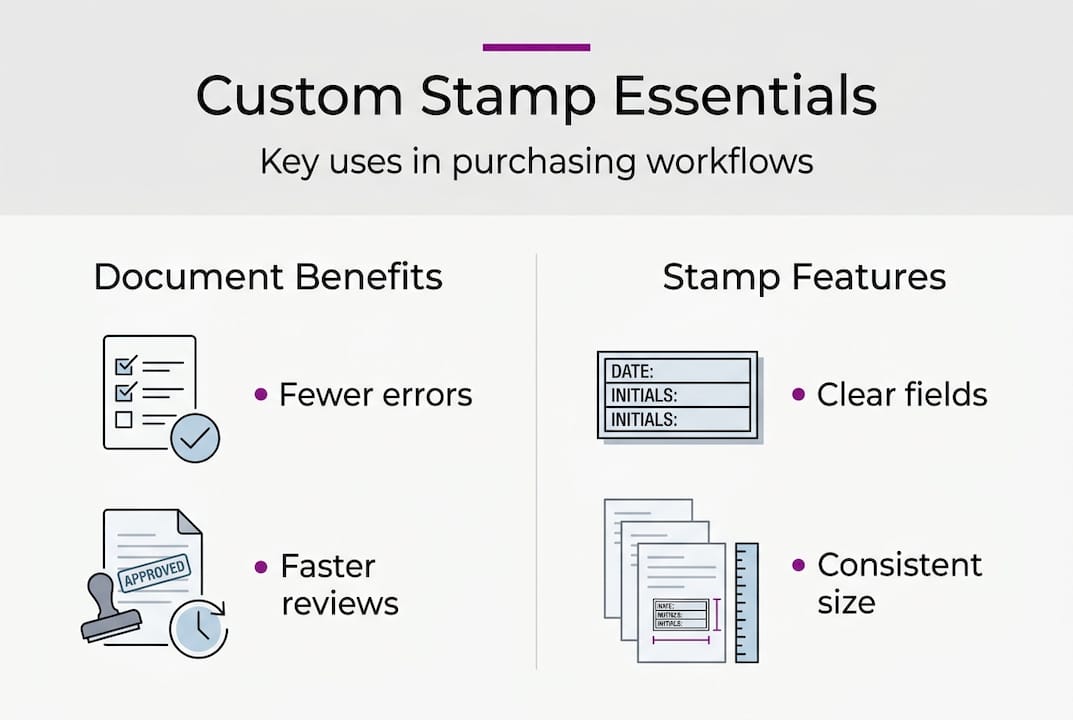
Design clarity matters more than most teams initially expect. A stamp that is too small to read easily, or that includes so many fields it becomes cluttered, defeats its own purpose. Before ordering, request a digital proof and test it against a real PO document. Does every field fit? Is the text legible at the actual print size? Does the logo reproduce cleanly in single-colour ink?
For teams that want guidance on incorporating brand elements effectively, the logo customisation tips resource covers how to adapt logos for stamp reproduction without losing detail. For teams with specific volume and size requirements, the Trodat 4927 stamp is a reliable option that accommodates up to nine lines of text alongside a logo, making it well suited for multi-field purchasing stamps.
Pro Tip: Before placing a bulk stamp order, print your intended stamp layout at actual size and place it on a sample PO document. This quick test reveals sizing issues and field placement problems before any cost is committed.
A fresh perspective: Rethinking custom stamps in a digital age
There is a tendency in purchasing circles to treat physical stamps as a transitional technology, something to phase out as digital tools mature. That view underestimates what stamps do well and overestimates how complete the digital transition actually is for most small to medium-sized businesses.
Physical documents still circulate in most supply chains. Delivery notes, signed receipts, and paper-based supplier invoices are not going away quickly. Custom stamps remain the fastest and most reliable way to process these documents accurately at the point of handling.
What has changed is the context. Digital stamps reduce errors through auto-population and automated sign-off tracking, which is genuinely better governance for electronic workflows. But that does not make physical stamps obsolete. It makes them one layer of a more effective overall system.
The teams that get the most value from stamps are those that treat them as part of a deliberate stamp workflow modernisation effort, not as a stopgap. Stamps standardise what needs standardising, quickly, cheaply, and without software dependency. Used alongside digital tools, they cover the gaps that automation cannot yet reach.
Find your perfect custom stamp solution
If the process of reviewing your purchasing workflows has highlighted gaps in how your documents are approved, tracked, or branded, a well-designed custom stamp is often the fastest and most cost-effective fix available.
At Stamp Design 4U, you can design and order custom rubber stamps built specifically for purchasing and approval workflows. Whether your team needs a compact PO reference stamp or a full multi-field approval stamp incorporating your company logo, the platform supports precise customisation with fast turnaround. Browse the product range to find the right stamp format for your document types, or contact the support team for guidance on design options that match your specific workflow requirements.
Frequently asked questions
How do custom stamps improve purchase order accuracy for purchasing teams?
Custom stamps reduce errors in PO workflows by making required information fields physically present on every document, ensuring completeness and consistency at each approval stage.
Can digital stamps replace physical rubber stamps entirely in purchasing workflows?
Digital stamps offer stronger governance and better error reduction for electronic documents, but combining physical and digital processes typically delivers the most robust coverage for teams handling both paper and digital paperwork.
What features should purchasing teams look for in a custom stamp?
Teams should prioritise legible field layout, appropriate stamp size for their document format, and design elements aligned to standardised PO templates that support audit and verification requirements.
Is there a way to automate approval stamps for digital documents?
Yes. Dynamic digital stamping solutions can auto-populate fields such as date, user name, and PO reference, with automated tracking of who approved each document and when.