

Running a small business often means every detail leaves an impression, from your packaging to your envelopes. For UK owners and event planners, having accurate and visually consistent address stamps saves precious time and avoids confusion on important deliveries. Using resources like the Postcode Address File, which contains every UK address and around 1.4 million business names, ensures your details are precise and your branding stands out. Discover how easy it can be to create a personalised stamp that makes every piece of mail recognisable.
Table of Contents
- Step 1: Define Your Address And Branding Details
- Step 2: Choose Stamp Style And Customisation Options
- Step 3: Create Your Address Stamp Design Online
- Step 4: Preview And Verify Your Stamp Layout
- Step 5: Order And Receive Your Custom Address Stamp
Quick Summary
| Key Point | Explanation |
|---|---|
| 1. Verify Your Business Address | Ensure your stamp features the accurate business address to prevent mail delivery issues and maintain professional integrity. |
| 2. Choose Relevant Branding Elements | Decide which contact methods to include, focusing on those most important for your business function and customer communication. |
| 3. Carefully Select Stamp Style | Pick a stamp style that fits your business needs, considering how visibility and design impact your branding and communication. |
| 4. Utilise Online Design Tools | Make use of online platforms for designing your stamp, ensuring accuracy of all entered information and previewing the final layout. |
| 5. Inspect Final Design Before Ordering | Review the layout thoroughly for clarity and correctness before finalising the order to prevent costly errors upon receiving the stamp. |
Step 1: Define your address and branding details
This step forms the foundation of your address stamp design. You’ll gather and verify all the information that will appear on your stamp, ensuring accuracy and consistency with your official business records. Getting this right prevents costly mistakes and maintains your professional reputation.
Start by pulling together your complete business address details. Your street address, postcode, city, and any suite or building numbers need to be exact. The Postcode Address File maintained by Royal Mail contains every UK address that can receive mail, including around 1.4 million business names, so referencing this ensures your address matches official delivery records. If you’ve moved recently or changed your registered address, double-check that your details align with what’s on file. Many small business owners overlook this and end up with stamps showing outdated contact information within weeks of ordering.
Next, gather your branding elements. This includes your business name exactly as it appears on your official documents, phone numbers, email addresses, and website if you want it included. Consider which details matter most for your intended purpose. An event planner sending RSVPs might prioritise a phone number and email, whilst a retailer using stamps on packaging might emphasise the business name and website. Regulatory requirements matter too; firms must keep their contact and address details current to meet official standards, so verify everything against your registered business information. Think about your logo or any visual branding you want incorporated. When designing address stamps with your company logo and text, ensure the logo file is high quality and that text remains readable when stamped. Take time now to list everything neatly, organised by priority, so you know exactly what goes on your stamp.
Tip Verify your address against your business registration documents before placing your order, as correcting errors after printing means reprinting your entire stamp.
Here is a summary of elements you should prepare before designing your address stamp:
| Information Type | Why It Matters | Verification Source |
|---|---|---|
| Full Business Address | Ensures correct mail delivery | Postcode Address File, registration |
| Business Name | Legal and branding consistency | Official company documents |
| Contact Methods | Allows quick client communication | Registered business information |
| Logo or Branding | Reinforces your business identity | High-quality company assets |
Step 2: Choose stamp style and customisation options
This step is where your stamp truly takes shape. You’ll explore the available styles and customisation features that will make your stamp fit your specific business needs and aesthetic preferences. The choices you make here directly affect how professional and effective your stamp appears when used.
Start by considering the overall stamp format that works best for your business. Address stamps come in various shapes and sizes, from traditional rectangular formats to circular designs. Think about where you’ll use the stamp most often. If you’re an event planner sending invitations, a compact rectangular stamp might work best. A retailer applying stamps to product packaging or shipping boxes may prefer a larger format for visibility. Next, explore the design elements available to you. Most customisation options allow you to add text panels, incorporate your logo or images, and arrange these elements in ways that reflect your brand identity. When working with customisation tools, you can preview your layout before committing to an order, which helps you see exactly how your final stamp will look. Pay special attention to positioning important elements away from trimming edges so nothing gets lost during the printing process.

Paper type deserves careful consideration as part of your customisation choices. The surface characteristics of different paper types, including various paper options with different sheen and texture, significantly impact both the appearance and durability of your stamp. A glossy paper might give you a sleek, modern look, whilst a matte finish offers a more understated professional appearance. The paper type also affects ink compatibility and how your stamp ages over time. Consider whether you want your stamp to have a protective quality or a particular aesthetic feel when pressed onto envelopes or documents. Think about font choices, colour schemes, and whether you want any decorative elements like borders or patterns. Professional stamp design incorporates all these elements cohesively so that when you actually use the stamp, it represents your business with consistency and polish.
Tip Always preview your stamp design at full size before ordering, as small details like font size and logo clarity may look different when printed at actual scale compared to your screen display.
The following table compares popular address stamp styles and their typical business uses:
| Stamp Style | Best For | Typical Size |
|---|---|---|
| Rectangular | Envelopes, small parcels | 58 x 22 mm |
| Circular | Brand impressions, event invites | 42 mm diameter |
| Large Format | Shipping boxes, outer packaging | 75 x 38 mm |
Step 3: Create your address stamp design online
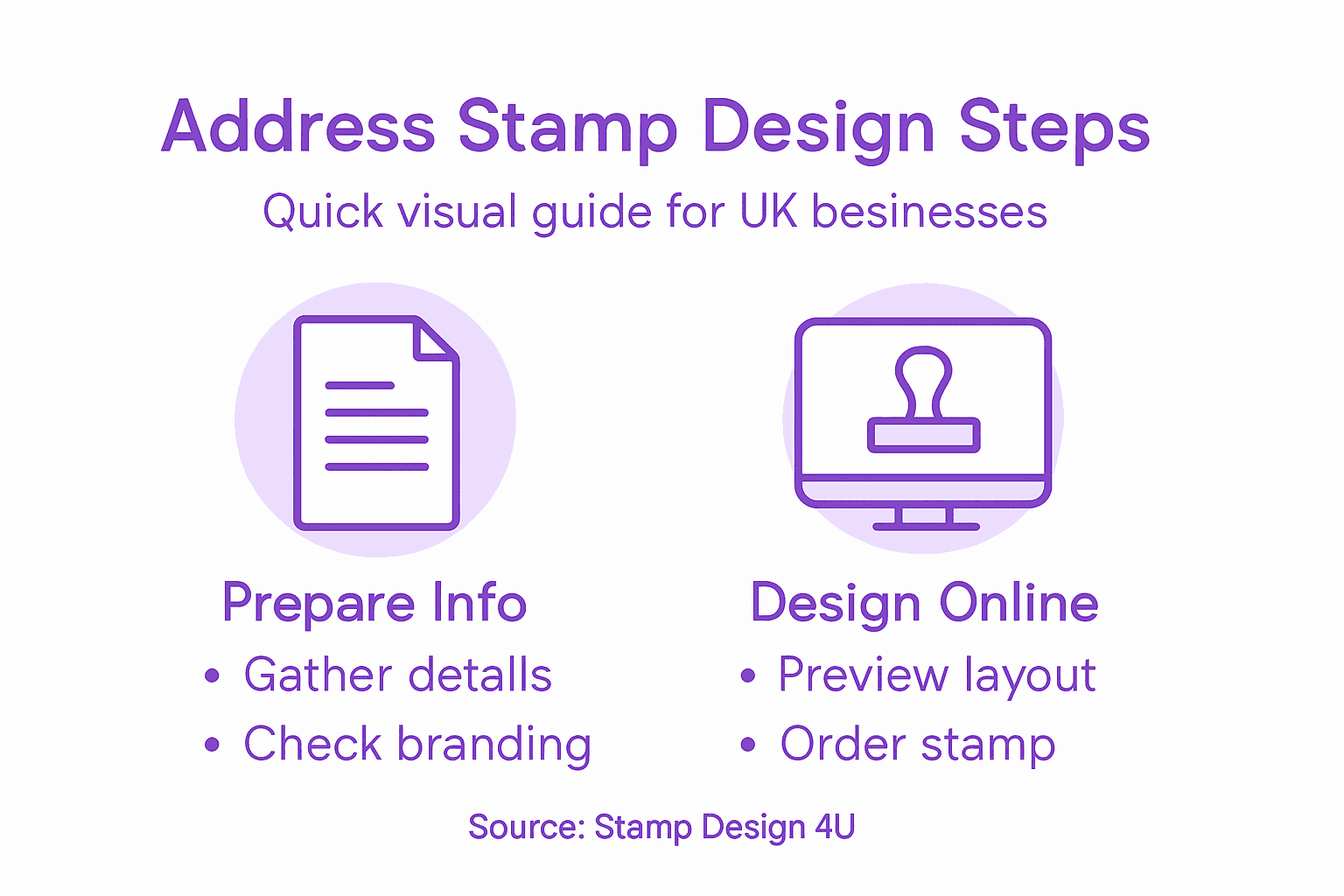
Now you’ll bring your stamp to life using an online design platform. This is where all the details you gathered and the style choices you made come together into a working design ready for production. You’ll use digital tools to position text, upload logos, and preview exactly what your stamp will look like.
Begin by accessing the online design interface and entering your address information. Most modern platforms make this straightforward, allowing you to input your business name, street address, postcode, and any other contact details you’ve decided to include. Many design tools integrate address verification systems that cross-reference postal records, which helps ensure your address matches official delivery data and reduces the risk of typos that could compromise mail sorting. Take your time entering information accurately, as this is your final chance to catch mistakes before printing. Next, upload your logo or any images you want incorporated. Ensure the file format is suitable for printing, usually PNG or PDF files work best for maintaining quality. Position your logo where it enhances rather than clutters your design, and check that all text remains legible alongside visual elements. Arrange your text panels so the hierarchy feels natural and professional. Your business name might be largest, followed by the address, then contact details.
The preview function is your best friend at this stage. Take advantage of it to see your design at actual size and from different angles if the tool allows. Check that nothing extends beyond the stamp boundaries and that spacing looks balanced. If your design includes decorative elements like borders or patterns, verify they complement rather than distract from your core information. Similar to how official institutions approach digital design and review processes, you want your layout to communicate clearly and professionally. Make any adjustments needed, then review one final time before submitting for production. This thorough approach prevents the frustration of receiving stamps that don’t match your expectations.
Tip Use the design tool’s zoom function to inspect small details like font kerning and logo clarity at enlarged scale, as these details matter significantly when your stamp is actually used on correspondence.
Step 4: Preview and verify your stamp layout
Before you commit to printing, you need to carefully examine your stamp design to catch any issues that might compromise its professional appearance or functionality. This verification step is where you spot alignment problems, text spacing issues, or clarity concerns that could otherwise arrive with your finished product.
Start by examining the preview at actual size. Most online design platforms offer this feature, and it’s crucial because designs often appear different on screen compared to how they print. Look at your text placement first. Is your business name positioned prominently and centred correctly? Do all address lines align neatly without awkward gaps or crowding? Check that nothing extends beyond the stamp boundaries, as text or images that run too close to the edges risk being trimmed during production. Verify spacing between elements, ensuring adequate breathing room so your stamp doesn’t look cluttered when pressed onto paper. Official document services recognise the importance of this process; previewing layout ensures correct detail placement before finalisation to maintain professional presentation and avoid costly reprinting. Next, examine your logo or graphic elements. Confirm the image quality looks sharp and that colours are vibrant if you’ve chosen colour printing. Black and white elements should have sufficient contrast to remain visible when stamped onto different paper types and colours.
Take a critical look at readability. Can someone easily read your address and contact details from normal viewing distance, or do they need to squint? Font sizes matter significantly here. If you’re using multiple information levels, ensure the hierarchy is clear, with your business name most prominent and supporting details secondary. Check for any spelling errors one final time, as these are impossible to fix once printed. Universities and institutions use secure digital previews to verify document layouts before official issuance, ensuring brand consistency and professional quality. Apply this same rigour to your stamp. If anything looks off or you’re not entirely satisfied with the layout, make adjustments now. This is your last opportunity to refine before production begins, so take the time to get it right.
Tip Print a test version on regular paper using your home printer to see how your design translates to physical form, giving you a realistic preview before committing to the final stamped product.
Step 5: Order and receive your custom address stamp
You’ve done the groundwork, designed your stamp, and verified every detail. Now comes the final step of placing your order and receiving your finished product. This process is straightforward when you know what to expect, and understanding the workflow helps ensure a smooth experience from checkout to delivery.
Begin by reviewing your order summary one last time. Double-check the quantity you need, the material options you’ve selected, and any customisation choices like ink colour or handle style. Confirm your delivery address is correct, as this is where your stamps will arrive. Most online ordering platforms require you to agree to terms and conditions before finalising payment. Take a moment to read these, particularly any clauses about stamp usage rights or minimum order quantities. Ordering official documents online involves verifying submitted content and managing delivery preferences, steps that equally apply when ordering custom stamps where accuracy matters greatly. Select your preferred delivery method if options are available. Standard delivery typically takes 5 to 10 working days, whilst expedited options may arrive within 2 to 3 days at an additional cost. Consider your timeline and choose accordingly. Once you’ve made your selection and completed payment, you’ll receive an order confirmation email containing your order number and expected delivery date. Keep this email for your records.
While you wait for delivery, resist the urge to second-guess your design choices. Your stamps are now in production, and any concerns cannot be addressed until they arrive. When your package does arrive, open it carefully and inspect the stamps immediately. Check that the design matches your approval, the stamping is clear and clean, and the quantity is correct. Official document delivery includes verification steps to ensure accuracy and quality assurance, procedures reflecting the importance of validating your finished product. If you spot any issues, contact customer support straightaway with photographs as evidence. Most reputable suppliers stand behind their work and will address legitimate concerns quickly. Once satisfied, store your stamps in a cool, dry location away from direct sunlight to preserve the rubber and ink quality. Your address stamps are now ready to add professionalism to your business correspondence.
Tip Order a test quantity first if this is your initial experience with custom address stamps, allowing you to assess quality and usability before committing to larger quantities.
Make Designing Your UK Business Address Stamp Simple and Professional
Designing an address stamp can feel overwhelming especially when accuracy and branding consistency are crucial to your business identity. The article highlighted key challenges such as verifying your business address against official records like the Postcode Address File and ensuring your logo and contact details remain clear and legible at actual stamp size. These important steps prevent costly errors and maintain your professional reputation.
At Stamp Design 4U, we understand these concerns deeply. Our easy-to-use online platform guides you through every stage from entering your verified address information to uploading high-quality logos and previewing your custom stamp design at full size. You can explore various styles suitable for envelopes or packaging with confidence knowing that your final product will embody your brand with precision. Don’t risk outdated or unclear stamps when you can access tailored tools and expert support all in one place.
Experience stress-free custom address stamp creation today. Visit Stamp Design 4U to start your design now and enjoy fast delivery of professional stamps that enhance your UK business correspondence. Take control of your branding with a personalised stamp that truly reflects your identity and contact accuracy. Your flawless address stamp is just a few clicks away.
Frequently Asked Questions
What information do I need to include when designing my address stamp?
To ensure your address stamp is effective, include your full business address, business name, and relevant contact details. Gather this information from your official business records to maintain accuracy and consistency.
How can I choose the right style for my address stamp?
Consider the purpose of your stamp and where it will be used when selecting the style. For example, a rectangular stamp may be ideal for envelopes, while a larger format is better for packaging; choose accordingly to enhance visibility.
What steps should I follow to design my address stamp online?
Begin by accessing a design platform to enter your details, upload any logos, and arrange text elements. Use the preview function to check the design before finalising your order, ensuring everything appears as intended.
How can I verify the layout of my address stamp before ordering?
Examine the design at actual size to check for alignment and spacing issues. Ensure that all text is legible and correctly placed, as making adjustments after ordering can be costly and time-consuming.
What should I do after receiving my address stamp?
Inspect your stamps immediately upon arrival to verify that the design matches your approval and that the quantity is correct. Store them in a cool, dry place to preserve their quality and functionality.
How can I avoid mistakes when designing my address stamp?
Double-check all the information against your business registration documents before placing your order. Doing this ensures that your stamp reflects accurate details, preventing potentially costly errors.
Recommended
- Address Stamps with Logo and Text – Stamp Design 4U
- Business Stamp Layout Guide for Effective Branding UK – Stamp Design 4U
- How to Choose the Right Rubber Stamp for Your Business – Stamp Design 4U
- Boost Your Branding: Custom Logo Stamps For Businesses – Stamp Design 4U
- Digital Receipts - YCR Distribution - UKs Largest Independent POS VAR.