


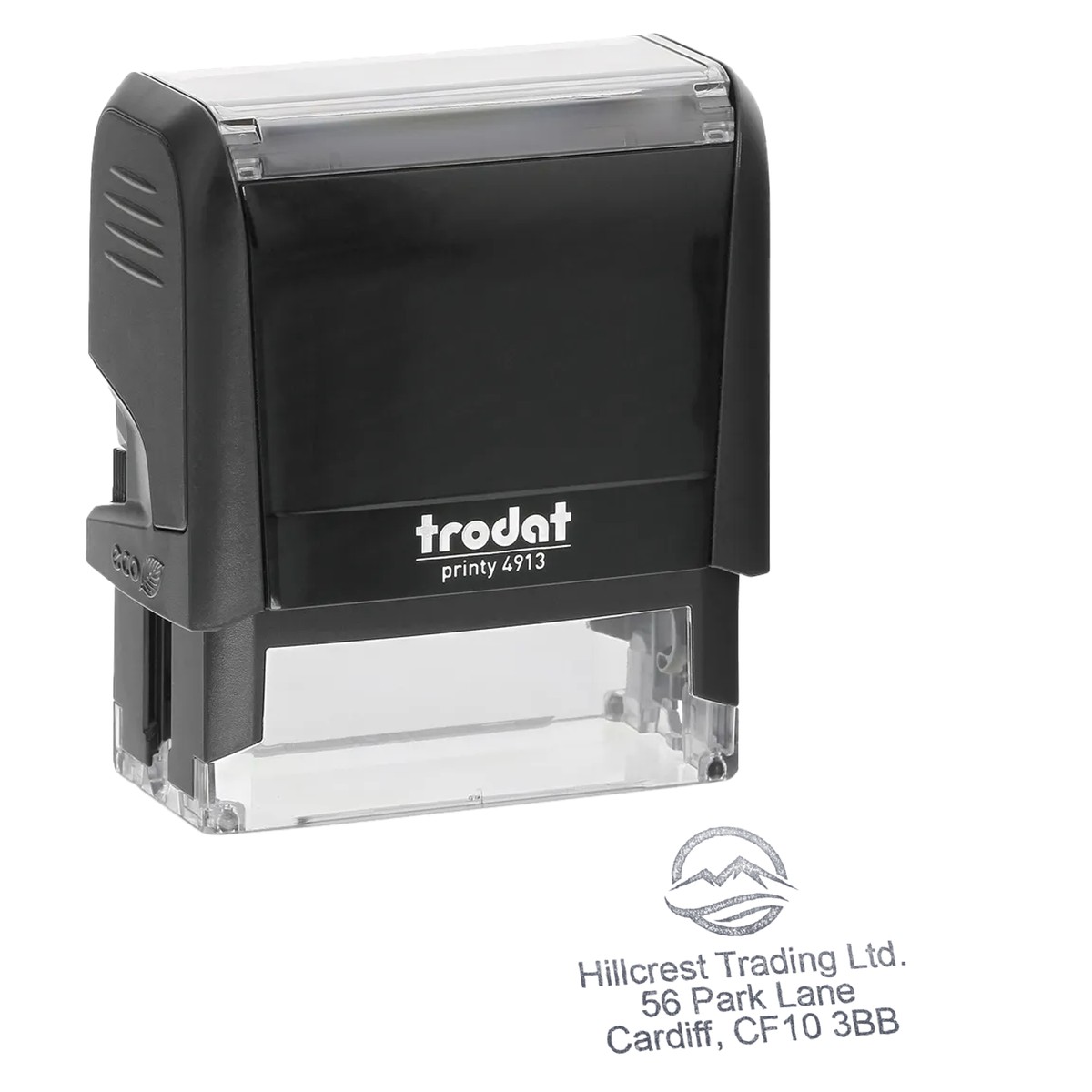




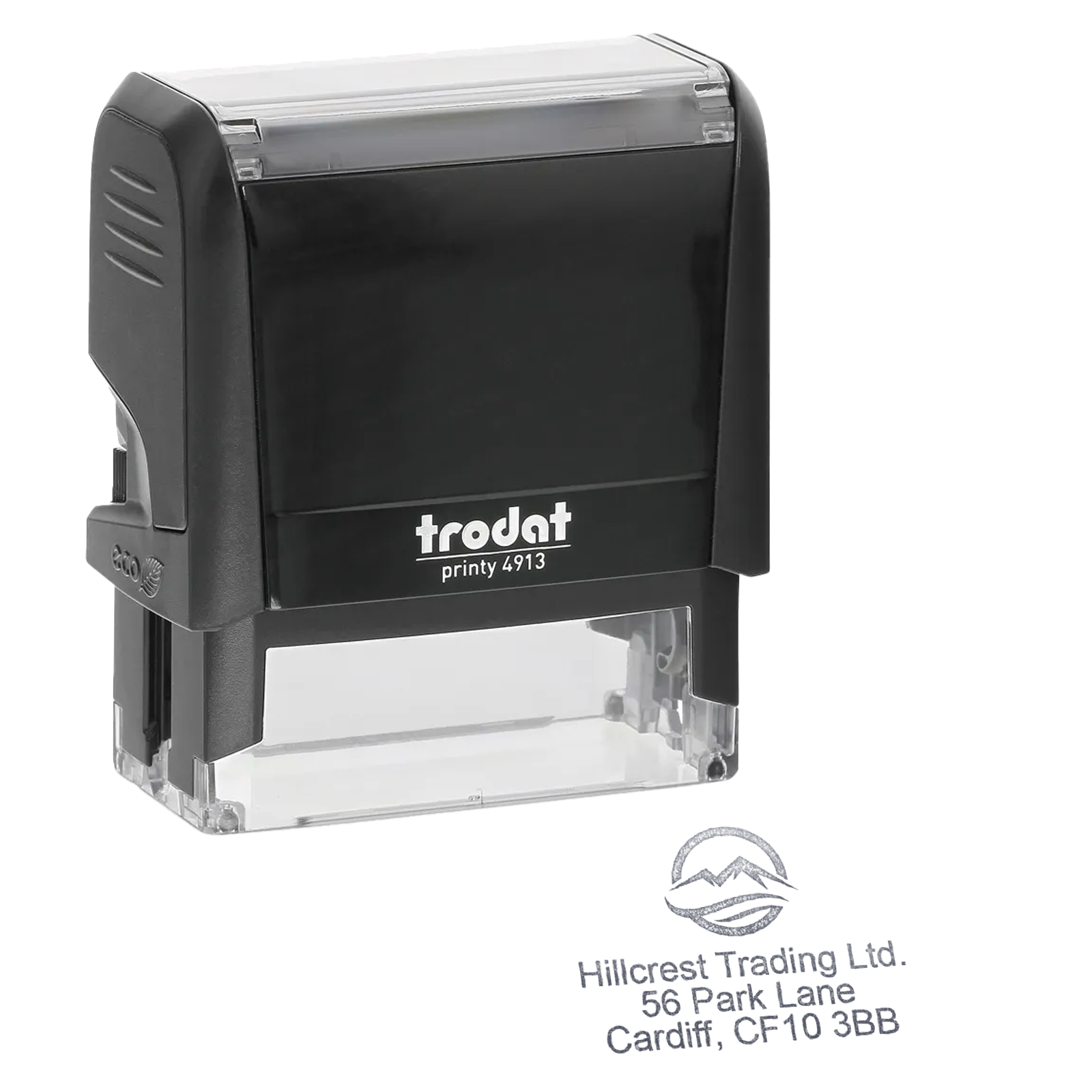

Trodat 4913 Personalised Text & Logo Stamp
- Impression size: 58 × 22mm
- Personalisation: Add text and upload your logo or artwork
- Ideal for: Business addresses, return addresses and everyday correspondence
- Self-inking: Built-in ink pad for quick, repeated stamping
- Replacement pads: Compatible 6/4913 pads available
Couldn't load pickup availability
Creating a corrected design
Your original item is still safely in your basket.
You’ll need to upload your logo again.
KEY BENEFITS
Made for confident everyday use
- Simple self-inking operation
- Clean repeatable impressions
- Replaceable ink pad
- Good everyday value
SPECIFICATIONS
Product specifications
- Impression size
- 58 × 22 mm
- Impression shape
- Rectangle
- Replacement pad
- 6/4913
- Typical workload
- Moderate
PERSONALISATION
How personalisation works
Create your design using the existing product personaliser above.
-
Choose your options
Select the available product and ink options.
-
Add your artwork or Text.
Upload and position your artwork in the personaliser.
-
Review and order
Check your design before adding the personalised product to your basket.
COMPATIBLE ESSENTIALS
Keep your stamp working
Replacement pads and refill ink matched to this stamp model.


ALTERNATIVES
Similar Models
Compare similar personalised stamp models from our leading brands.

Stamp Design 4U
SD4U Imprint 13 | 5 Line Personalised Text & Logo Rubber Address Stamp | 58 x 22mm
Impression: 58 × 22 mm

Colop
COLOP Printer C40 | Personalised Text & Logo Stamp | 59 x 23mm
Impression: 58 × 22 mm

Shiny
Shiny Printer S844 | Personalised Text & Logo Stamp | 58 x 22mm
Impression: 58 × 22 mm
EXPERT GUIDANCE
Helpful guides
PRODUCT DETAILS
Product description
The Trodat Printy 4913 is a self-inking stamp for customers who need a clear text and logo impression for repeat business, office or professional use. The listed impression area is 58 x 22mm and this product is configured for up to five lines with a logo.
Product details
- Model: Trodat Printy 4913
- Listed impression size: 58 x 22mm
- Personalisation capacity: up to five lines with a logo
- Self-inking design for repeated impressions
- Compatible replacement ink pad: Trodat 6/4913
How to personalise
Supply the required logo or artwork through the product personalisation interface and add any supporting wording requested. Use a clear, high-contrast file and check that fine detail remains suitable for the stated impression area.
The final type size and spacing depend on the amount of information supplied. The gallery size guide shows the available layout area and does not represent a customer-specific impression.
Stamp care and repeat orders
For the standard paper-and-card ink setup, use the Trodat 6/4913 replacement ink pad. Match the model and cartridge reference on your stamp before ordering. Ask us to check the replacement if you use textile or other specialist ink.
Read our stamp care and ink-pad help for faint impressions and colour changes. Replacing a pad does not change your wording or logo.
Request a repeat stamp order with your previous order details and any changes. For a new logo or layout question, use our artwork-help checklist.