

TL;DR:
- Batch stamping automates marking large volumes of documents simultaneously, saving time and ensuring consistency. Digital tools now handle this process with high accuracy, customization, and compatibility with encrypted files. It enhances compliance, branding, and efficiency for both digital and physical document workflows.
Batch stamping is one of those processes that sounds straightforward until you try to explain it. Many people assume it simply means stamping a pile of documents one by one, quickly. The reality is quite different. What is batch stamping, exactly? It is the automated application of identifiers, dates, watermarks, or custom marks to large numbers of documents or physical items in a single, unified operation. Digital tools have transformed this process entirely, making it possible for individuals and businesses to handle what would once have taken hours in a matter of seconds.
Table of Contents
- Key takeaways
- What batch stamping is and how it started
- How the batch stamping process works today
- Batch stamping applications and benefits
- Comparing batch stamping methods
- Getting started with batch stamping
- My perspective on batch stamping
- Custom stamps for your batch workflow from Stampdesign4u
- FAQ
Key takeaways
| Point | Details |
|---|---|
| Batch stamping defined | It automates the application of marks or identifiers to multiple documents or items simultaneously. |
| Digital tools dominate | Software now handles bulk stamping faster and more accurately than mechanical devices. |
| Compliance and traceability | Batch stamping helps businesses maintain auditable, uniquely identified document sets. |
| Customisation matters | You can control numbering, prefixes, fonts, colour, and positioning in a single batch job. |
| Physical stamps still relevant | Custom rubber stamps remain practical for physical document and branding workflows. |
What batch stamping is and how it started
To understand the batch stamping process properly, it helps to know where the concept came from. Traditional mechanical stamping involved handheld or desktop devices that pressed ink onto paper. These were useful for single documents but slow and inconsistent across large volumes. Every impression required manual effort, and errors crept in easily.
The origins of systematic batch stamping trace back to the Bates numbering machine. Mechanical Bates devices used rotating wheels and spring mechanisms to apply sequential numbers automatically, with ink pads incrementing the count after each impression. They also supported prefixes, suffixes, and repeating stamp options, which was genuinely useful for legal and administrative work at the time.
The shift from mechanical to digital was significant. Today, batch stamping software processes hundreds or even thousands of documents in one automated run, with no manual involvement required beyond the initial setup. That shift brought speed, accuracy, and far greater customisation.
A standard digital batch stamping tool allows you to set:
- Sequential numbering with a chosen start value
- Custom prefixes and suffixes (for example, “INV-001” or “2026-FINAL-003”)
- Stamp placement on any page position
- Font style, size, and colour to match your branding or document requirements
- Text, image, watermark, or graphic stamp types
Pro Tip: When setting up a numbering scheme for the first time, always pad your numbers with leading zeroes. “INV-0001” sorts correctly in file systems and databases, whereas “INV-1” will not.
How the batch stamping process works today
Modern batch stamping operates through software that processes multiple files simultaneously, applying your chosen stamp configuration across every document or page in the batch. Here is a clear picture of how a typical batch stamping operation runs from start to finish.
- Load your documents. You select the files you want to stamp. Most tools accept PDFs, images, or document formats, and you can add dozens or hundreds at once.
- Define your stamp settings. This is where you configure the stamp content. Software tools allow customisation of prefixes, suffixes, start numbers, font, colour, and precise page positioning.
- Set the scope. You choose whether the stamp applies to every page, specific pages, or only the first and last pages of each document.
- Run the batch. The software processes every file in the queue automatically, applying the configured stamp without further input from you.
- Review and export. Stamped files are saved to your chosen output location, ready for distribution, filing, or printing.
One aspect that often surprises people is how the process handles secure files. Batch stamping tools can process encrypted PDF files with supported encryption schemes, provided you have the correct access permissions. This means secure legal or financial documents can still be processed in bulk without compromising their integrity.
The customisation available in modern tools goes well beyond numbering. You can embed company names, URLs, disclaimers, or logos into stamps, which makes batch stamping genuinely useful for document branding as well as record keeping.
Pro Tip: Before running a large batch job, always test your stamp configuration on two or three sample documents. Check placement, numbering, and formatting before committing to the full run.
Batch stamping applications and benefits
The benefits of batch stamping are clearest when you consider the contexts in which it is used regularly.
Legal firms were among the earliest adopters. Many legal professionals and corporate firms use batch stamping to maintain accurate records and present documents consistently in court or arbitration proceedings. A set of several hundred evidence documents, each uniquely numbered and traceable, would take an enormous amount of time to stamp manually. Batch processing handles this in seconds.
Administrative and finance teams use batch stamping to process invoices, purchase orders, and correspondence. Applying an “APPROVED,” “RECEIVED,” or date stamp across a day’s worth of incoming documents is far more reliable when automated. You can also optimise purchasing operations using custom stamps that are pre-designed for exactly these document types.
Here are the key practical benefits:
- Time savings. Processes that once took hours can now be completed in seconds, reducing costs and human error significantly.
- Consistency. Every document in a batch receives an identical stamp in exactly the same position. There is no variation in ink, placement, or numbering.
- Compliance and auditability. Batch stamping supports accurate, traceable records that hold up during audits and regulatory reviews.
- Branding. Organisations can embed logos, company details, and URLs into stamped documents, reinforcing identity across every record they produce.
- Scalability. Whether you process 10 documents or 10,000, the effort required at your end stays approximately the same.
Physical rubber stamps remain relevant in this context too. For businesses that deal with physical paperwork, a well-designed custom rubber stamp used consistently across a batch of documents achieves many of the same organisational goals. Understanding rubber stamp compliance practices helps businesses avoid errors in regulated environments.
Comparing batch stamping methods

Not every business needs the same approach. The table below compares the three main batch stamping methods so you can identify which suits your situation.
| Method | Speed | Cost | Flexibility | Accuracy | Best suited for |
|---|---|---|---|---|---|
| Mechanical Bates stamper | Moderate | Low upfront | Limited | Moderate | Small paper batches, offline environments |
| Digital batch stamping software | Very fast | Low to moderate | Very high | Very high | Large document volumes, digital workflows |
| Custom rubber stamps (batch use) | Moderate | Low | Moderate | High when consistent | Physical documents, branding, admin tasks |
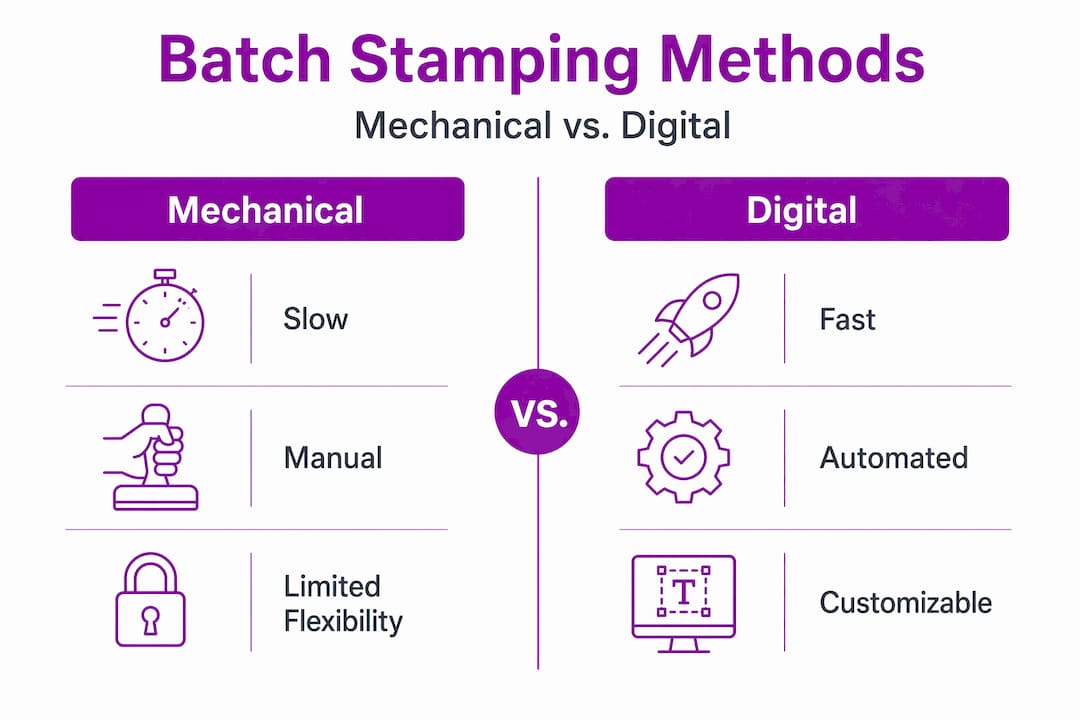
Digital tools now predominate over mechanical stamps for most professional applications, offering faster processing, greater accuracy, and scalable options for large document sets. Mechanical devices retain a place in environments where computers are not available or where tactile stamps on physical paper are required for legal or procedural reasons.
The difference between batch and single stamping comes down to volume and automation. Single stamping means applying one mark at a time, with manual input for each. Batch stamping applies a pre-configured mark across every item in a defined set automatically. For anyone processing more than ten documents at a time regularly, the batch approach is substantially more practical.
Batch stamping software also allows stamp types including text, images, watermarks, and graphics, applied across multiple documents or pages simultaneously. A mechanical device simply cannot match that range.
Getting started with batch stamping
If you are ready to implement batch stamping in your workflow, the steps below will help you avoid the most common mistakes.
- Choose your tool based on document type. If you work primarily with digital PDFs, dedicated PDF batch stamping software is your best option. If you handle physical paper documents, custom rubber stamps designed for repetitive use are the practical choice.
- Plan your numbering scheme before you start. Decide on your prefix structure, start number, and number of digits. Changing this mid-project causes inconsistency across your records.
- Organise your documents into logical batches. Group files by project, date, or document type before running a batch job. This makes the output easier to manage and search.
- Check permissions on any protected files. If your documents are password-protected or encrypted, confirm you have the right access level before adding them to a batch queue.
- Test before full deployment. Run a sample batch of five to ten documents and verify placement, content, and numbering before processing your full set.
- For physical stamps, invest in quality. A poorly made rubber stamp produces inconsistent impressions, which defeats the purpose of batch processing. Custom stamps from a reputable supplier hold up under repeated use.
- Document your configuration. Save your stamp settings and numbering schemes so you can reproduce them exactly for future batches. Consistency over time matters for compliance.
A practical starting point for physical workflows is a pre-designed word stamp for common document statuses. An invoiced word stamp is a good example of a ready-to-use tool that fits neatly into a batch document processing routine.
My perspective on batch stamping
I have watched businesses go from stamping invoices by hand to processing thousands of documents automatically, and the difference is not just about speed. The real change is in confidence. When you know every document in a set has been stamped correctly, numbered sequentially, and filed consistently, you stop worrying about the gaps.
What I have noticed is that most people underestimate the planning stage. They focus on the tool and skip the thinking about structure. A poorly designed numbering scheme causes more problems than any software limitation. I have seen legal teams redo entire document sets because a prefix change mid-project made the sequence unreadable.
My honest view is that digital batch stamping has made compliance accessible for small businesses in a way that was not realistic ten years ago. You do not need a dedicated document management team. You need a clear scheme, a reliable tool, and the discipline to test before you run.
Physical rubber stamps are not obsolete either. For client-facing documents, invoices, and physical correspondence, a well-made custom stamp used consistently across a batch still communicates professionalism clearly. The two approaches complement each other rather than compete.
The future direction is towards integration. Batch stamping tools are increasingly embedded into document management systems and workflow automation platforms, which means the manual step of loading files will eventually disappear too. For businesses thinking about scalability, getting your stamping process right now sets the foundation for that next stage.
— Steven
Custom stamps for your batch workflow from Stampdesign4u
If your business handles physical documents regularly, having the right rubber stamp makes the batch process far more reliable. Stampdesign4u offers a range of custom rubber stamps designed for repeated professional use. The Trodat 4927 custom stamp accommodates up to nine lines of text and logos, making it well-suited for document branding, approval marking, and administrative batch workflows. Whether you need a stamp for invoices, correspondence, or compliance marking, Stampdesign4u has options across formats and sizes. You can also explore the full stamp ordering workflow to understand how to set up a process that works at scale for your organisation.
FAQ
What is batch stamping in simple terms?
Batch stamping is the automated application of a mark, number, watermark, or identifier to a large number of documents or items in one operation, rather than stamping each one individually.
What is batch order stamping?
Batch order stamping refers to applying stamps, typically sequential numbers or approval marks, across a set of order documents simultaneously, often used in finance and procurement workflows.
How does batch stamping work with digital documents?
You load your files into batch stamping software, configure the stamp settings including numbering, position, and format, then run the job. The software applies the stamp to every document automatically.
What are the main benefits of batch stamping?
The key benefits are speed, consistency, and compliance. Batch stamping removes manual effort, ensures every document receives an identical mark, and creates a traceable, auditable record set.
Can batch stamping handle password-protected PDF files?
Yes. Many batch stamping tools support encrypted PDFs, provided you have the correct access permissions to modify the files during the stamping process.
Recommended
- Enhance your branding with custom stamps: a practical guide – Stamp Design 4U
- Best Practices for Custom Stamps: Step-by-Step Guide – Stamp Design 4U
- Streamline your stamp ordering workflow for business success – Stamp Design 4U
- Step-by-step guide to making personalised signature stamps – Stamp Design 4U