

Buy in this order: reliable core tech and connectivity, an ergonomic chair and desk, then storage, stationery and safety kit. Tech and posture affect daily output and health, so they come before filing cabinets or a matching pen pot. Everything else can follow once the desk actually works.
TL;DR:
- Reliable core technology and internet connection offer the greatest impact on productivity and should be purchased before comfort or storage solutions.
- Proper ergonomic setup including a monitor at eye level, foot support, and a good chair prevents repetitive strain and costs very little to implement.
- Stock durable stationery, scan important documents promptly, and use a consistent filing system to save time and reduce clutter.
- Prioritize office purchases starting with essential tech and ergonomics, then add storage, consumables, and finally decorative items once cash flow stabilizes.
- Once desk and tech essentials are in place, custom stamps for repetitive administrative tasks can significantly improve efficiency and branding.
Table of Contents
- Essential office items for furniture: desks, chairs and storage
- Computers, displays and peripherals to keep productivity steady
- Desk essentials and everyday supplies that keep things running
- Ergonomics and DSE workstation obligations you can’t skip
- Organisation, filing and storage systems that save time
- How to prioritise purchases without wasting money
- A note on stamps and business stationery
- Printing and scanning basics for a small office
- Basic office safety items you shouldn’t skip
- Cleaning and maintenance supplies for office hygiene
- Power management and cable organisation tools
- Common office software essentials
- What actually matters once the basics are covered
- Where Stamp Design 4U fits once the basics are sorted
- Sources
- FAQ
Essential office items for furniture: desks, chairs and storage
Before buying anything, measure the room. You need at least 760mm of clearance behind a chair for it to push back and let someone stand, plus enough depth on the desk for a monitor arm and cable routing without wires trailing across the floor. Skipping this step is the single most common reason people end up returning furniture within a month.
Desks don’t need to be complicated. A basic desk of dimensions suitable for most single-screen setups, but if you or your team sit for more than five or six hours a day, a sit-stand desk earns its keep by letting you break up static posture without leaving the room.
Chairs are where corners get cut, and shouldn’t be. At minimum, insist on:
- Adjustable seat height and lumbar support
- Armrests that don’t force your shoulders up when typing
- A five-point base with smooth-rolling castors suited to your flooring
Storage rounds this out. A two-drawer lockable filing cabinet handles sensitive paperwork, while open shelving or a compact credenza keeps day-to-day files within reach without cluttering the desk itself.
Pro Tip: Sit in a chair for at least ten minutes before buying it. Cheap foam that feels fine standing in a showroom often collapses within weeks of daily use.
Computers, displays and peripherals to keep productivity steady
Reliable core tech should be bought before comfort upgrades. Procurement guidance consistently points the same way: prioritise computers, networking, backups and cloud tools over premium furniture in the early stages, because a slow machine or patchy broadband costs you far more in lost hours than a slightly harder chair ever will.
For most office work, an adequate amount of RAM and solid-state drive storage cover browser-heavy, spreadsheet and video-call use comfortably; go higher only if you’re running design or data software. A single monitor of common mid-size range is the baseline, but adding a second screen genuinely speeds up work that involves comparing documents, referencing data, or juggling email against a task.
Peripherals worth budgeting for:
- A mechanical or hybrid keyboard, since cheap membrane keyboards wear unevenly within a year
- An ergonomic mouse, particularly if you’re on it for six-plus hours daily
- A webcam and headset with a physical mute switch for video calls
- A docking station if you’re working from a laptop, so one cable handles power, screen and peripherals
Networking matters more than people expect. A dependable broadband connection, a decent router placed centrally rather than in a cupboard, and an automated backup routine (cloud or external drive) protect you from the two failures that actually shut small offices down: lost internet and lost files. Cloud OS’s guide to small-business workstations covers this ground in more depth if you’re building from scratch.
Desk essentials and everyday supplies that keep things running
The small stuff adds up faster than people expect. A functional desk needs:
- Pens, a notepad and sticky notes within arm’s reach
- A stapler, scissors and a decent pair of desk organisers for loose bits and cables
- A document holder or simple in-tray to stop paper migrating across the desk
- Spare printer paper and stationery stored somewhere visible, not buried in a cupboard
Paper grade matters more than most people realise. Everyday internal printing works fine on standard 75gsm stock, but anything going to a client or customer, invoices, letters, proposals, looks noticeably better on 90 to 120gsm paper.
The real trap with consumables is buying the cheapest option repeatedly rather than a durable one once. Value-focused procurement for UK SMEs recommends exactly this: mid-range stationery that doesn’t need replacing every fortnight, plus a simple restocking habit (check supplies monthly, reorder before you run out) so nobody’s mid-invoice when the stapler jams.
Ergonomics and DSE workstation obligations you can’t skip
If anyone in your office uses a screen daily for one hour or more, the HSE’s DSE guidance applies to that workstation, and that includes solo founders working from a home desk. Employers must assess the setup, provide training, and offer eye tests on request; the assessment covers lighting, ergonomics and even air quality, not just the chair.
Run through these checkpoints on every workstation:
- Top of the monitor roughly at eye level, arm’s length away
- Keyboard and mouse positioned so wrists stay flat, not angled up or down
- Feet flat on the floor or a footrest, knees roughly level with hips
- Regular breaks or task changes rather than one unbroken sitting block
Fixing most of this costs very little: a monitor riser, a footrest and a document holder solve the majority of posture complaints at low additional cost. The HSE workstation checklist is a straightforward yes/no format covering keyboards, screens, furniture and environment, and it doubles as your record. If you employ fewer than five people, a written record isn’t legally required, but keeping one anyway makes future reviews far quicker.
Organisation, filing and storage systems that save time
Clutter costs time, not just tidiness. Well-chosen storage tends to matter more than expensive furniture: transparent boxes, clear labelling and a consistent filing system cut the minutes wasted hunting for a document, minutes that compound fast across a working week.
A simple system looks like this:
- Digitise anything you’ll need to search or share; keep physical originals only where legally required
- Use transparent boxes and visible labels so contents are obvious without opening every lid
- Reserve a lockable cabinet for contracts, HR records or anything containing personal data
- Adopt a stamp for repetitive admin, an address stamp or a “received” stamp shaves real time off daily paperwork
Storage doesn’t need to be elaborate. It needs to be consistent.
How to prioritise purchases without wasting money
Buy in this order, and resist the urge to reverse it because furniture feels more visible:
- Core tech and connectivity – a reliable computer, internet and backup protect against the failures that actually stop work
- Ergonomics – chair, desk height and monitor position, because posture problems compound daily
- Consumables and stationery – durable, not cheapest, to avoid constant reordering
- Storage and filing – once you know what volume of paperwork you’re actually generating
- Extras – branding touches, decorative items, anything that isn’t blocking daily work
The real cost of office kit isn’t the sticker price, it’s how often you replace it. A £15 stapler that lasts five years beats three £5 staplers that jam within months.
Pro Tip: Phase your spending. Buy a good computer and chair in month one, then add storage and finishing touches once cash flow settles.
A note on stamps and business stationery
Once the core desk is sorted, stamps solve a specific problem: repetitive admin. An “invoice received” stamp, a return address stamp, or a branded packaging stamp all save the minutes that add up when you’re stamping the same information onto documents dozens of times a week.
They earn a place on your essentials list once paperwork volume rises or you need consistent branding across invoices and parcels, not before. Stamp Design 4U’s guide to must-have office stamps for UK small businesses walks through which types suit which admin load, and Steven’s notes on business branding with stamps cover implementation in more practical detail.
Printing and scanning basics for a small office
Most small offices don’t need an industrial printer. A mid-range multifunction inkjet or laser device that prints, scans and copies covers day-to-day needs without the running costs of a dedicated commercial machine.
Laser printers suit offices doing high-volume text printing, invoices, letters, forms, because toner outlasts ink cartridges by a wide margin per page. Inkjets remain the better choice if you occasionally need colour or photo-quality output.
Scanning matters more than people plan for. A flatbed or sheet-fed scanner, or simply the scan function built into your multifunction printer, lets you digitise incoming paperwork so it can be filed, searched and backed up rather than stacked in a tray. Set a habit early: scan anything you might need to reference later, then file or shred the paper original depending on retention requirements.
Keep a small stock of spare toner or ink cartridges on hand. Running out mid-print during a client deadline is one of the more avoidable admin failures in a small office, and cartridges for older printer models can take days to arrive once you actually need them.
Basic office safety items you shouldn’t skip
Every office, even a one-person home setup, needs a first aid kit stocked with plasters, antiseptic wipes, bandages and basic pain relief. Check it every few months; kits get raided for a single plaster and never restocked.
A fire extinguisher suited to the space (a small CO2 or foam extinguisher covers most office fire risks involving electrical equipment or paper) belongs somewhere accessible, not buried in a cupboard behind the printer paper. Pair it with a working smoke alarm, tested regularly, and make sure everyone in the office actually knows where the nearest exit is.
For a slightly larger office, a fire blanket in any kitchenette area and clear signage showing the evacuation route cost very little and matter enormously if they’re ever needed. None of this is exciting to buy, which is exactly why it gets deprioritised, and exactly why it shouldn’t be.
Cleaning and maintenance supplies for office hygiene
A tidy desk isn’t just about appearances. Regular cleaning cuts down on the spread of illness through a small team and keeps equipment running longer.
Stock the basics: antibacterial wipes for desks, keyboards and phones, a screen-safe cleaning spray for monitors, and general surface cleaner for shared spaces like kitchenettes. Hand sanitiser at the entrance and near shared equipment (printers, meeting room tables) reduces sick days more than most small businesses realise.
Don’t overlook a decent vacuum or a cleaning contract if you’re in a dedicated office space, dust build-up in keyboards and vents shortens equipment life. A simple weekly routine, bins emptied, surfaces wiped, keyboards dusted, keeps the space usable without needing a full cleaning service.
Power management and cable organisation tools
Cable mess isn’t just untidy, it’s a trip hazard and a fire risk when extension leads get overloaded. A surge-protected power strip with enough sockets for your actual equipment, not the bare minimum, prevents the daisy-chained extension lead problem that creeps into most home offices.
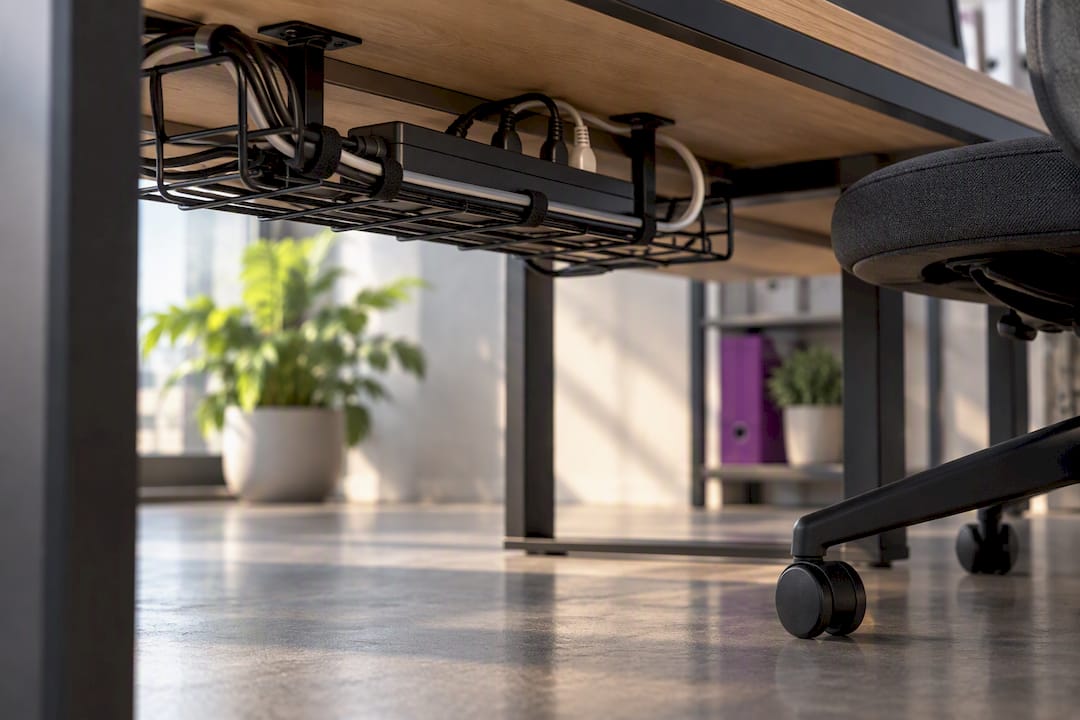
Cable management trays fitted under the desk keep wires off the floor and out of the way of chair castors, which also stops cables fraying from being rolled over repeatedly. Velcro ties or simple cable clips cost next to nothing and make it far easier to trace a specific cable when something needs unplugging.
If you’re running multiple devices, a UPS (uninterruptible power supply) protects against sudden power cuts corrupting files or damaging hardware, worth considering if you’re in an area with unreliable mains power or you can’t afford to lose unsaved work mid-task.
Common office software essentials
Hardware only gets you halfway. You need a word processor and spreadsheet tool (cloud-based suites let multiple people edit the same document without version chaos), a calendar and email client that actually talk to each other, and cloud storage that backs up automatically rather than relying on someone remembering to do it manually.
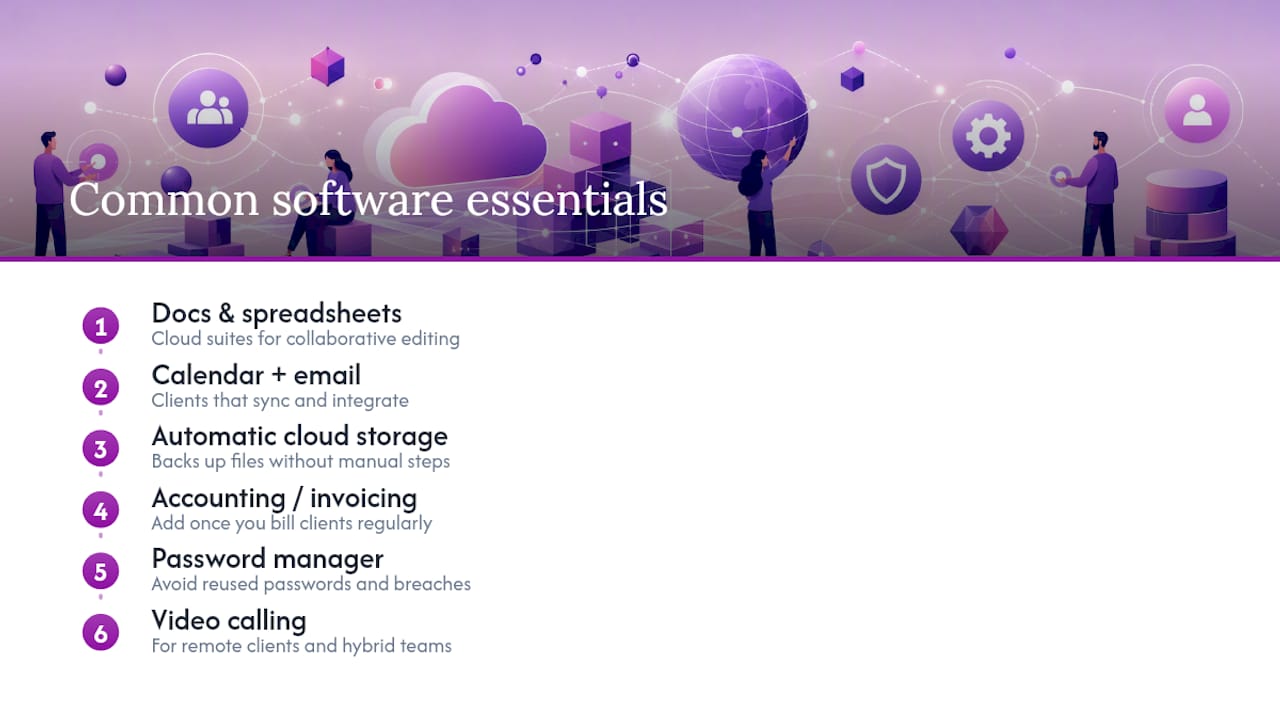
Add a basic accounting or invoicing tool once you’re billing clients regularly, and a password manager, this one gets skipped constantly, but reused passwords across business logins are one of the more common security failures in small offices. Video-calling software rounds out the list for anyone dealing with remote clients or hybrid teams.
What actually matters once the basics are covered
Most advice on office essentials treats furniture and tech as equally weighted line items on the same shopping list. That’s backwards. A slow computer or unreliable internet connection costs you productive hours every single day; a slightly worn desk costs you nothing until it actually breaks. Prioritise accordingly.
The DSE obligations get treated as a compliance afterthought too, when they’re genuinely one of the cheaper wins available. A monitor riser and a footrest cost less than a decent lunch out, and they solve the posture problems that otherwise turn into repetitive strain complaints down the line. Nobody regrets buying these; plenty of people regret skipping them.
Where I’d push back hardest is on the instinct to treat stationery and stamps as trivial. They’re not glamorous, but a business processing repetitive paperwork without a proper stamp system is quietly burning minutes every single day that a £15 stamp would save outright. Buy the tech first, fix the posture second, and don’t dismiss the small stuff just because it’s small.
— Steven
Where Stamp Design 4U fits once the basics are sorted
Once your desk, chair and tech are in place, the paperwork side of running a small business still needs sorting, and that’s where Stamp Design 4U becomes the practical next step rather than a big-agency branding exercise. Instead of paying a design studio for one-off branded stationery, you get personalised stamps built for UK businesses, with fast turnaround and design help included, at a fraction of what a full branding project costs.
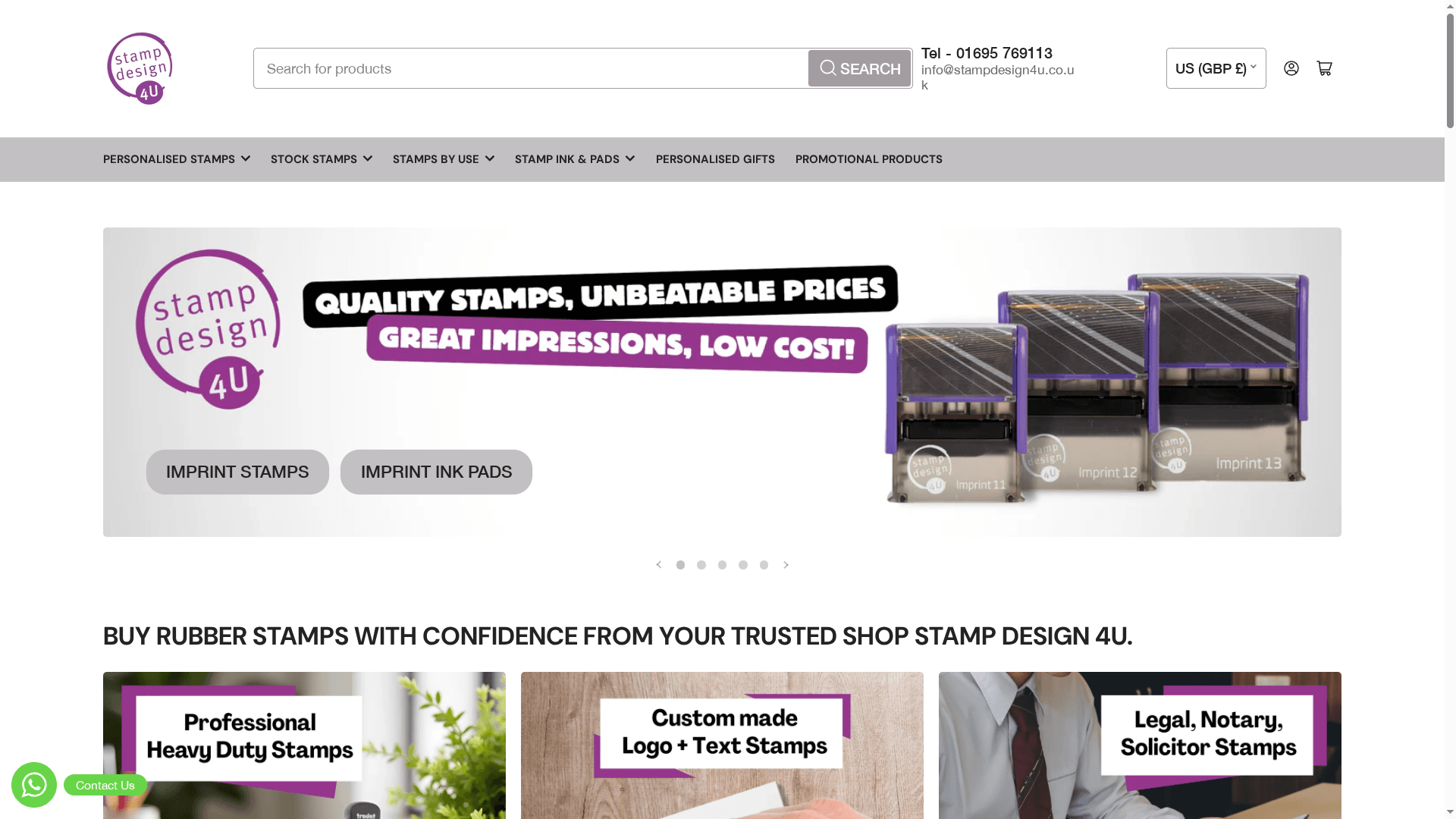
The range covers everything from logo stamps for consistent branding on invoices and packaging, to stock word stamps for repetitive admin like “received” or “paid”, through to Trodat’s heavy-duty professional line for offices processing high volumes daily. Each option is built to speed up the exact repetitive tasks covered earlier: address stamping, invoice processing, and packaging that needs to look consistently branded without a print run.
If your admin load has reached the point where a stamp would save real time each week, browse the logo and text stamp collection and get a design started; most orders are customised and dispatched within days.
Sources
- Working safely with display screen equipment - HSE
- The Office Tech Essentials Every Startup Needs (and What Can Wait) - PPCS
- 9 value office supplies that perfectly suit UK SMEs (and what to skip) | Lyreco
FAQ
What are the 10 essential office items every business needs?
The core ten are a desk, ergonomic chair, computer, monitor, keyboard and mouse, reliable internet, a filing or storage solution, basic stationery, a first aid kit, and cleaning supplies. Prioritise tech and ergonomics first, then build outward into storage and consumables.
What are the must-haves in a small office?
A working desk and supportive chair, dependable computer and internet, a simple filing system, and basic safety kit (first aid, fire extinguisher) cover the essentials. Add stationery and organisational tools like personalised stamps once daily admin volume justifies them.
What are ten items commonly used in an office?
Pens, notepads, a stapler, printer paper, a keyboard, a mouse, a monitor, a filing cabinet, sticky notes, and a phone or headset appear in nearly every office setup. Most of these fall under everyday stationery rather than one-off equipment purchases.
Do I legally need to assess my home office workstation?
Yes, if you use a screen daily for one hour or more, DSE regulations apply even to a single home desk. The HSE checklist walks through the required checks, and keeping a written record is good practice even for very small teams.
How much do custom stamps from Stamp Design 4U cost?
Pricing varies by stamp type and size, so current prices are listed directly on the Stamp Design 4U product pages rather than as a single fixed figure. Browsing the relevant collection gives you an exact quote before ordering.