
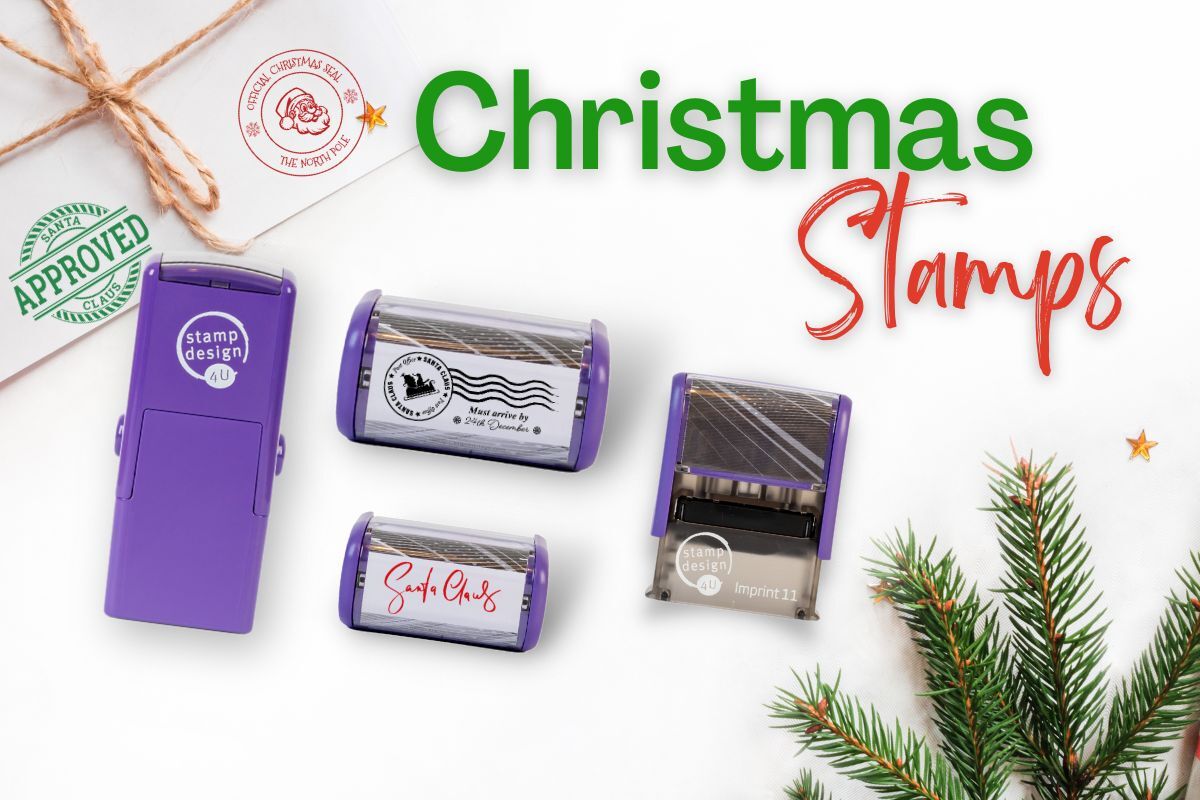
Christmas rubber stamps can personalise cards, envelopes, gift tags and suitable uncoated wrapping paper. Choose a festive design, add the wording offered on its product page, and check the personaliser visual before ordering.
Compare personalised Christmas stamps
The measurements below are impression sizes. Check the space on your card or tag and choose a layout that keeps your wording readable. Follow the product links for current prices, colours and personalisation options.
| Design and impression size | What to check |
|---|---|
| Santa’s Sleigh — 58 × 22mm | Personalise the address or message fields offered on the product. |
| Reindeer — 48 × 18mm | A smaller Christmas address layout for suitable envelopes and stationery. |
| Season’s Greetings — 58 × 22mm | A seasonal address design with the wording offered in the personaliser. |
| Snowflakes — 58 × 22mm | Choose an address or Christmas message using the available fields. |
Browse the personalised Christmas stamp collection for other designs. Available wording and colours depend on the product you choose.
1. Add a greeting to Christmas cards
Stamp a seasonal message inside a card or add a personalised return address to its envelope. Use absorbent, uncoated paper or card, and test on a spare piece first. Glossy cards may not suit standard self-inking ink.

2. Make gift wrapping and tags personal
Stamp flat sheets of suitable kraft paper before wrapping your presents. Space impressions out to create a repeating design, and let the ink dry before handling. For gift tags, check that the impression fits without covering the punched hole or the recipient’s name.

3. Decorate a letter from Santa
Add a festive message or decorative design to a family letter or envelope. These are decorative impressions rather than postal marks or postage. Check the exact design and any editable wording on the product page before ordering.
4. Create matching party stationery
Use one design across invitations, place cards and paper inserts. Keep event details readable and leave room for handwritten names where needed. A standard single-colour stamp prints in your selected ink colour; it does not reproduce a multicolour design automatically.
5. Keep Christmas memories in a scrapbook
Add a family greeting or seasonal motif to scrapbook pages, journal inserts and paper keepsakes. Test thin paper for ink showing through, and let impressions dry before closing the book. Fabric, plastic, coated surfaces and other materials need separate ink and suitability advice.

Choose paper and ink carefully
Standard self-inking stamp ink is intended for absorbent paper and card. Choose only the colours offered for your chosen stamp. Gold and silver are not options on the four products compared above; do not add an unrelated metallic ink to their pads.
When you need a replacement, match the exact model using our ink pad finder. Extra pads in a package are replacement pads, rather than a way to print several colours in one impression.
Check your Christmas wording before ordering
Review names, addresses, spelling and any dates in the online personaliser. It shows a visual of your design; a separate proof is available on request. Text capacity varies with the stamp and layout, so use the fields offered on the product page.
If your chosen product includes artwork upload, use SVG, PNG or JPG/JPEG. PDF upload is not currently supported in the online personaliser. If you only have a PDF, contact us before ordering. See our online ordering guide for the ordering steps.
For seasonal projects, allow time to check your design and the current delivery information rather than assuming a guaranteed arrival date. Read the shipping policy before placing a time-sensitive order.
Need help choosing a Christmas stamp?
For size, artwork or bulk-order enquiries, call 01695 769113 or email info@stampdesign4u.co.uk. Tell us the design you want and what you plan to stamp.
